Ticket management
Priority matrix, auto-assignment, internal notes, reassignment, kanban, time analysis. Ticket creation via email and portal.
LinaDesk is an on-premise IT ticketing system and help desk software: your team works the ticket queue while employees open and track requests in a self-service IT support portal. Asset inventory and browser-based remote desktop are included. No cloud requirement, no monthly per-user fees.
An alternative to ManageEngine SDP, ServiceNow and BMC Remedy
Over 30 workflows offered by ManageEngine Service Desk Plus or BMC Remedy — all in LinaDesk. Pick the modules you need — all inside the same installation.
Priority matrix, auto-assignment, internal notes, reassignment, kanban, time analysis. Ticket creation via email and portal.
Response and resolution targets per priority, business calendar, holidays, silent hours, real-time breach counter, auto-escalation.
Categories, search, featured articles, helpful votes, bookmarks. Ticket-linked suggestions for self-service resolution.
Hardware, software, service and license assets. Lifecycle, warranty expiry, assignment ownership, CSV export.
SLA compliance, backlog, workload, channel distribution, CSAT trend, report engine — 15+ ready templates, clonable.
Atomic permissions, branch/region/company scope, local accounts + Active Directory, multi-domain, Windows SSO.
Secure browser-based sessions to endpoints. The person at the screen approves first — silence is not consent, and a machine with nobody logged in is never opened.
Problem, Change (risk-based approval), Announcements, Contracts, Approval workflows — standard, no extra fee.
English, Turkish, Arabic (RTL), German, French, Spanish, Italian, Russian. Selectable per user.
Technician and employee talk inside the same request: send files and screenshots, see images inline, read receipts, Enter to send. An internal note is never visible to the requester — the distinction is spelled out on four separate channels at once.
Successful and failed sign-ins, throttled attempts, sign-outs and rejected cookies — each with its reason. What the change log cannot see: a failed sign-in touches no record, so it gets a ledger of its own.
Pick the modules you need; the licence file carries which ones are on, signed, and the server checks every request against it. Request management and the audit trail can never be switched off — a licence draws a sales boundary, it does not hold your data hostage.
Take a walk through the panels your IT team will use every day. Real screens from the same version you'll install.
A dense, filterable queue built for the technician who lives in it. Every column can be reordered or hidden, every filter can be saved as a shared view, and the search bar accepts ticket numbers, requester names, or full-text.
g t to jump here from anywhereThe rail on the left keeps the queue visible while you work. The middle pane hosts the conversation, timeline and SLA burn card. The right rail gathers watchers, reminders, checklists, related items and QA reviews — no context switches, no lost work.
When your workflow lives in status transitions rather than a queue, switch to the six-column board. Each card carries priority, SLA state and assignee glyph. Drag to change status — the audit log records who moved what, when and why.
Hardware, software, services and licenses under a single lifecycle model. Warranty countdowns turn red 30 days before expiry, license usage flags when seats used exceed seats owned, and each asset can be linked to the tickets and contracts that touch it.
Fifteen built-in report templates covering SLA compliance, backlog, workload, channel mix, CSAT trend and reopen rate. Every report has a chart, a table and a CSV export. Clone a template, tweak the filter DSL, and save it for your team — no analyst required.
Public solutions library with categories, search, featured articles and helpful votes. When a user starts typing a ticket subject, matching articles surface on the portal — a routine password reset never opens a ticket in the first place. Technicians close tickets 30% faster by linking the solution that resolved them.
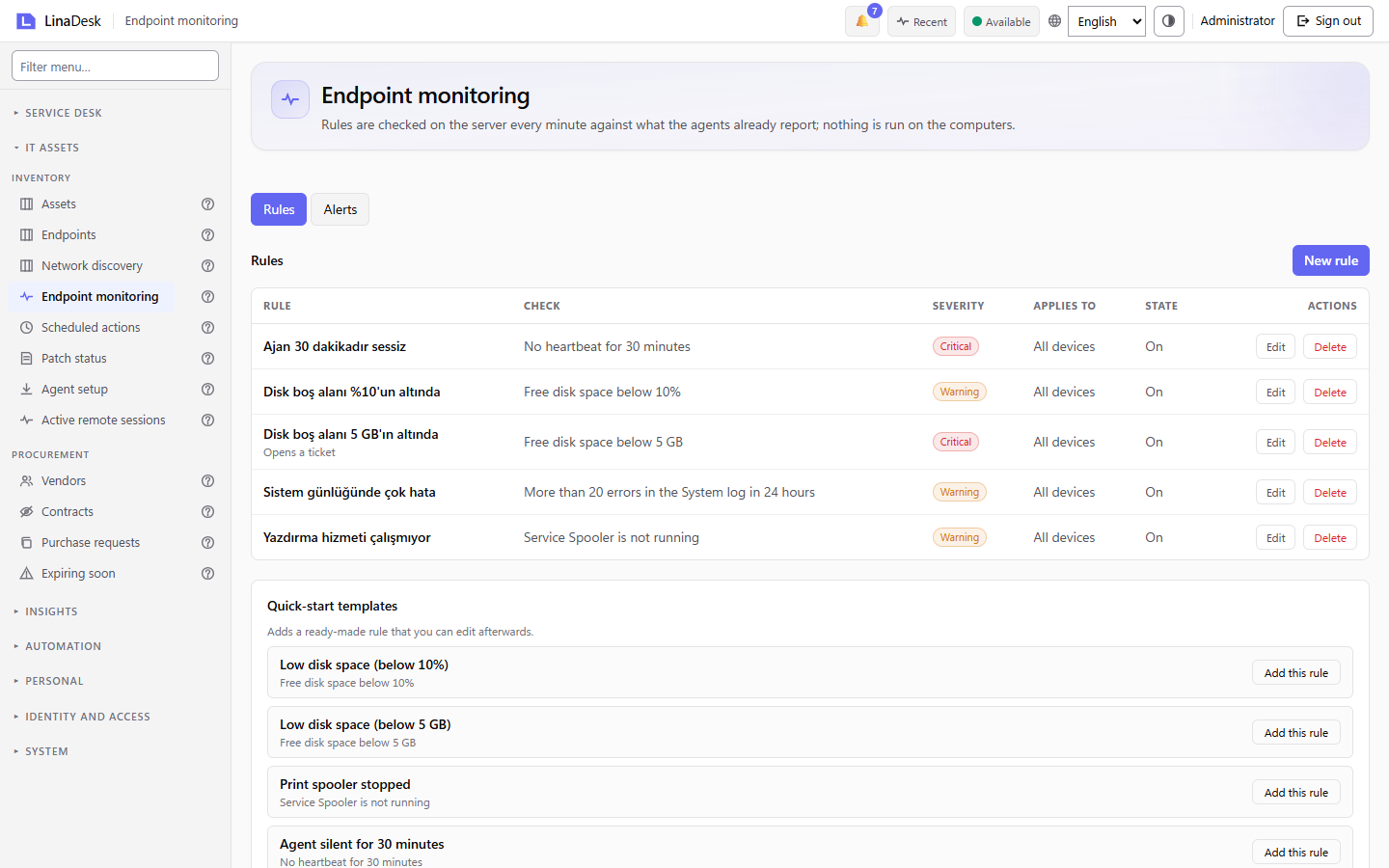
Rules run on the server every minute against what your agents already report. When a rule fires, an alert is raised and, if you choose, a ticket is opened automatically.
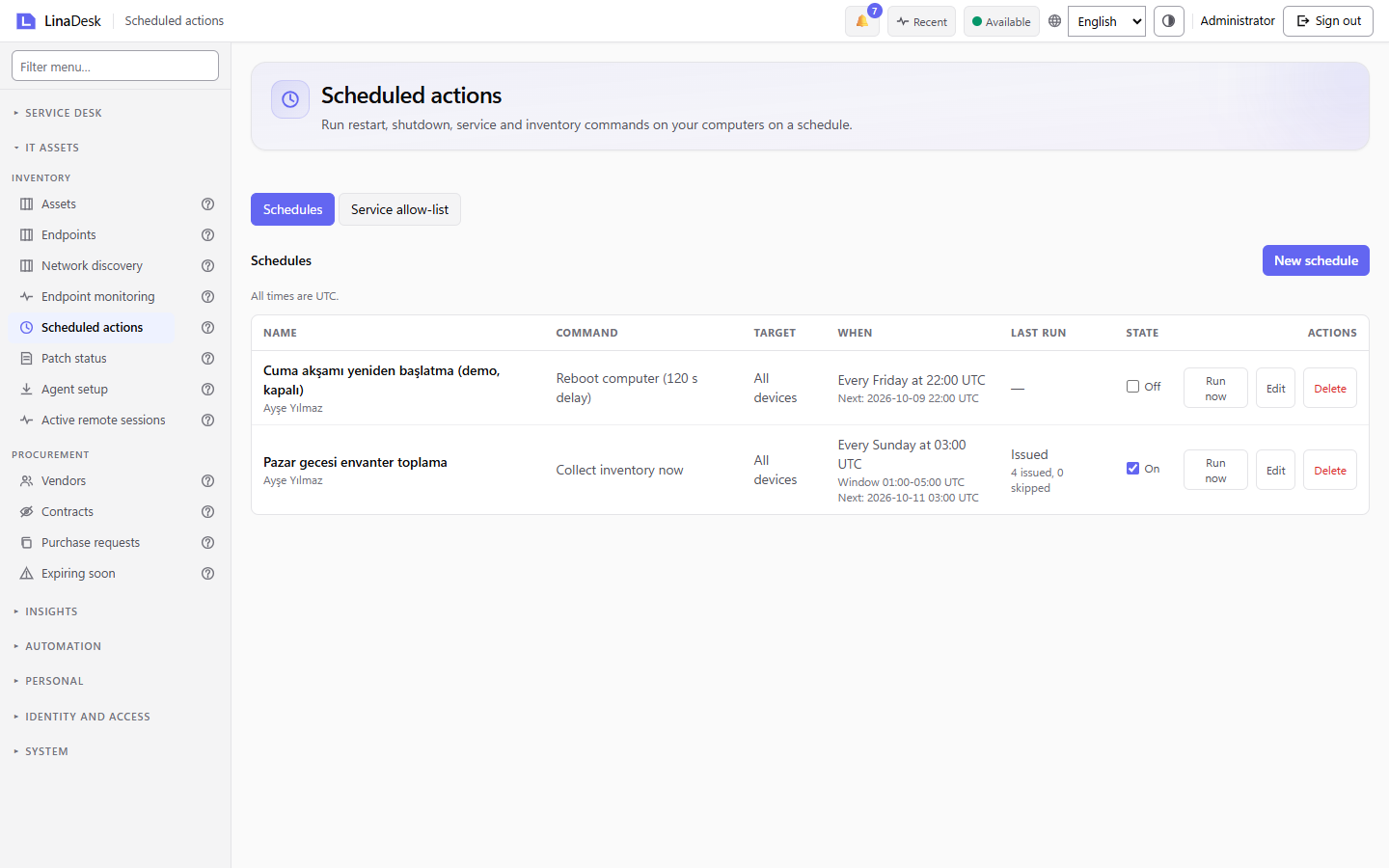
Restart, shut down, control a service, wake a machine with Wake-on-LAN or refresh inventory, now or on a schedule. Destructive actions ask for confirmation and every run is recorded.
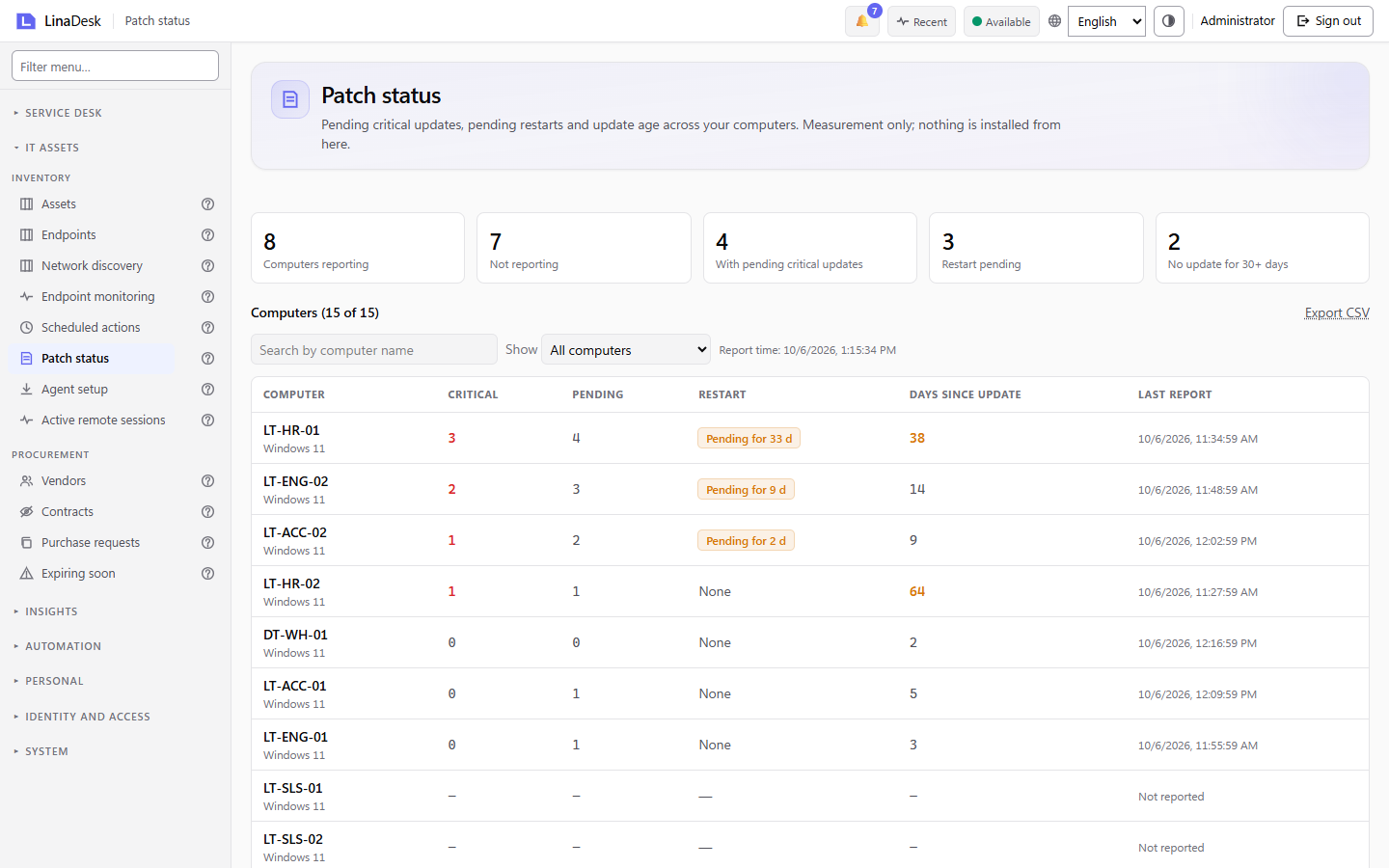
One screen shows pending critical updates, pending restarts and the days since each computer last updated. It is measurement only: nothing is installed from here.
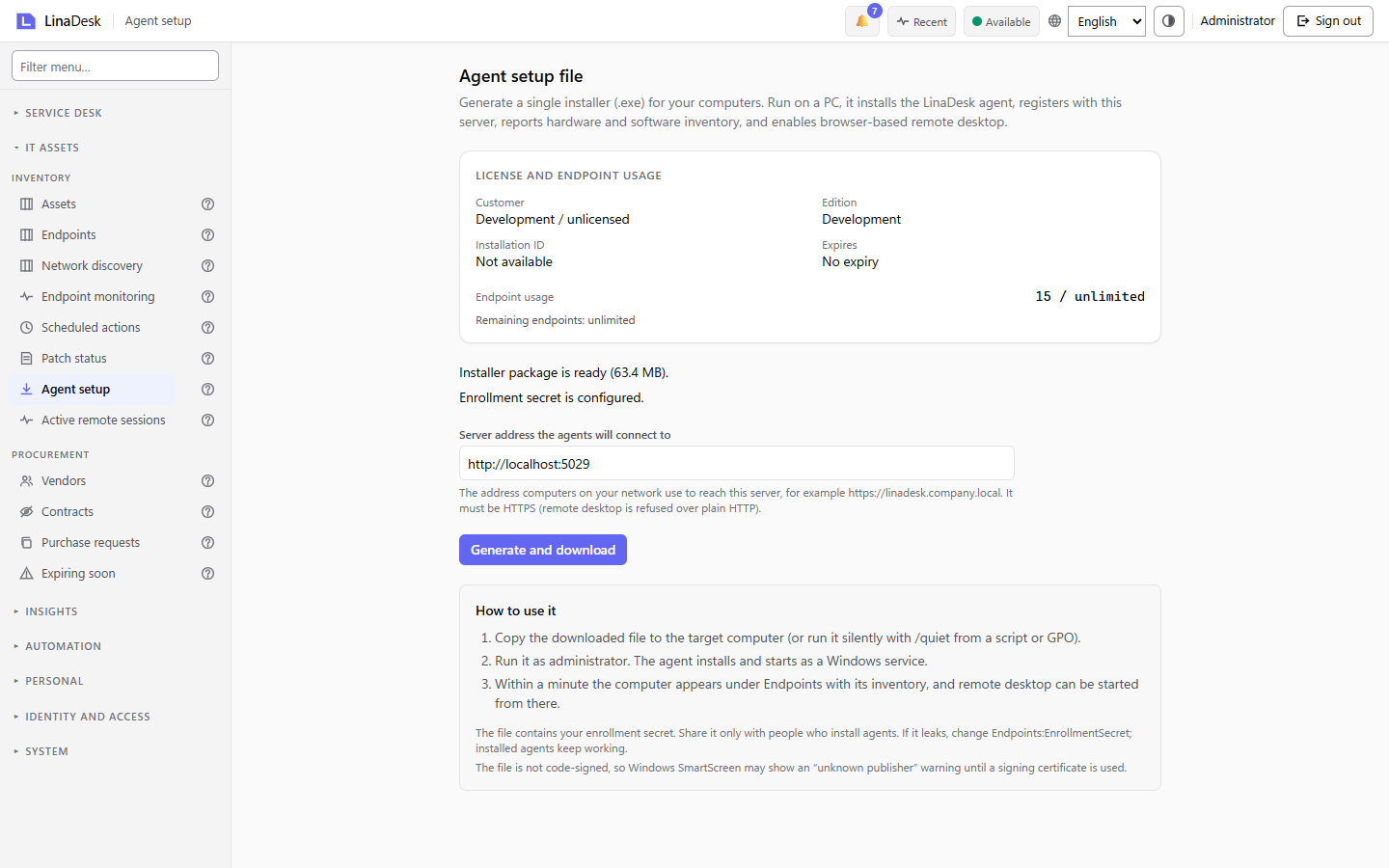
Generate a single Windows installer bound to your license, and see endpoint usage against your license limit before you roll it out. Run it as administrator and the computer registers itself.
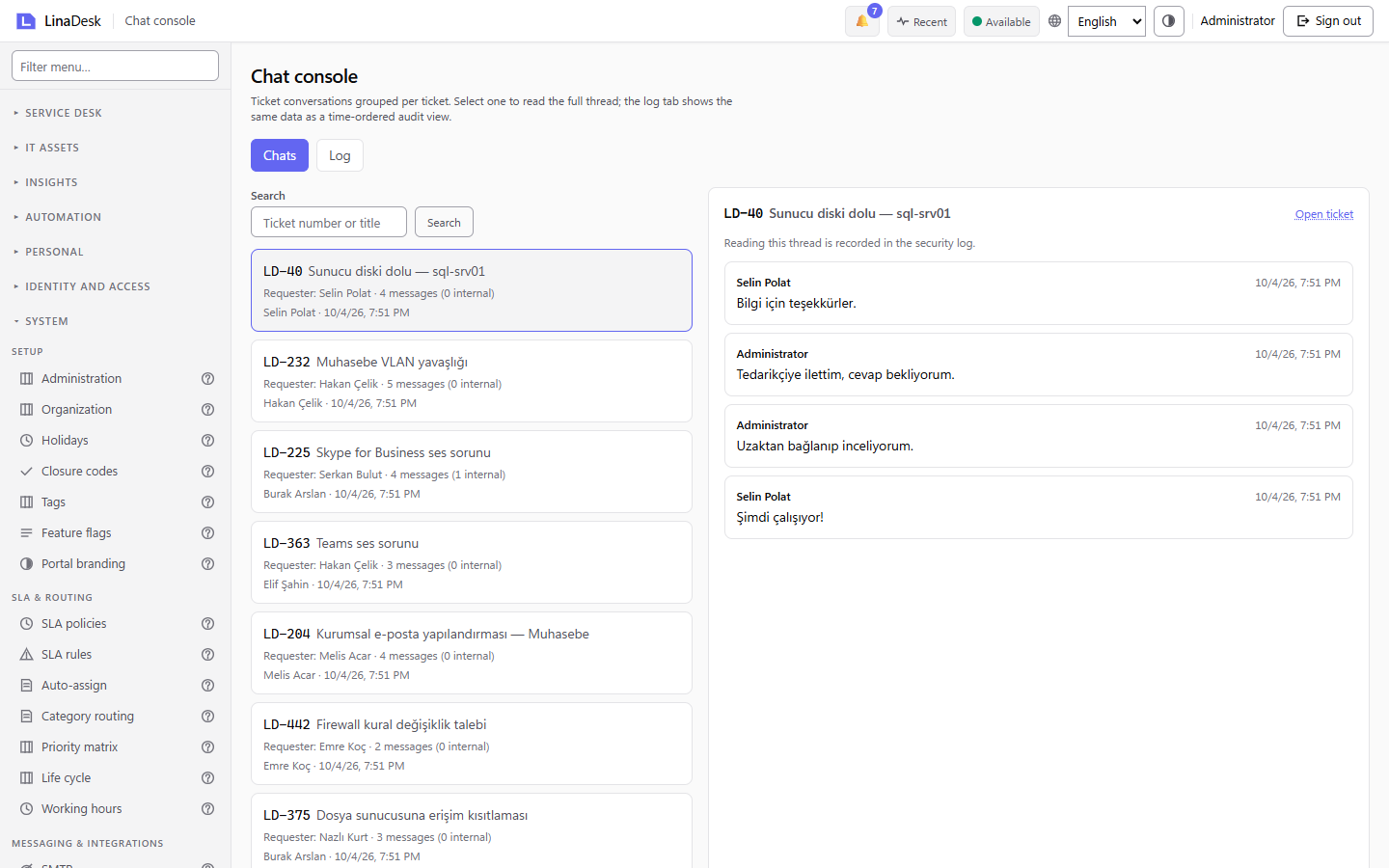
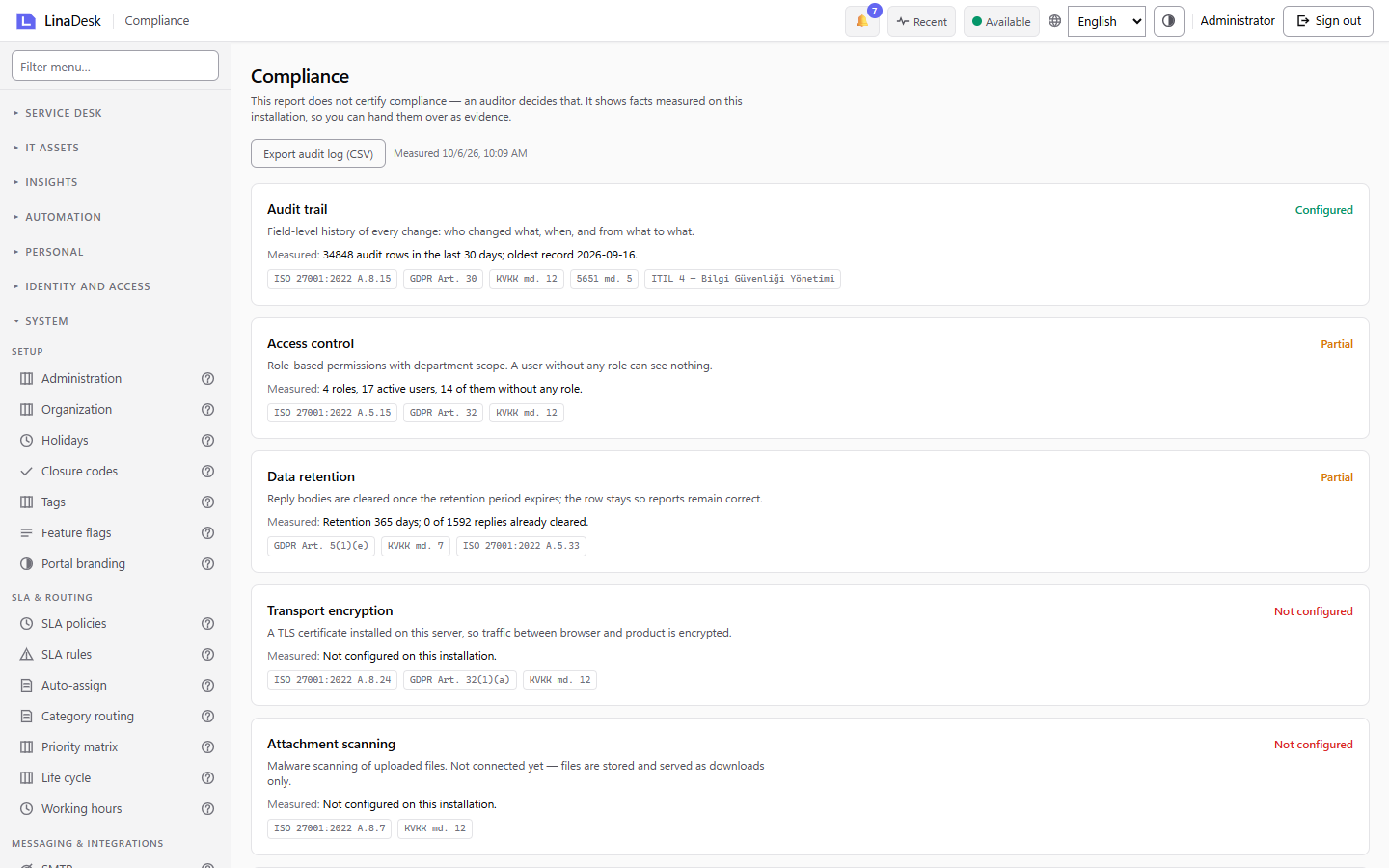
Admins can read ticket conversations in a dedicated console, and every read is written to the security log. The compliance report measures 16 controls on your installation and never claims that you are compliant.
ITIL 4 workflows, role-based scopes and integrations — all standard, no add-ons.
Root-cause records with a five-state machine (New → Under investigation → Known error → Resolved → Closed). Attach the workaround to a Known Error and every related ticket sees it instantly.
Standard / Normal / Emergency change flows with risk-based approval routing. Self-approval blocked at the domain level, double-vote blocked, rollback plan required for high-risk items.
Vendor registry, contract expiry sweeper, purchase-request approval workflow with line items and currency-aware totals. Renewal reminders 30 and 7 days before expiry.
Local accounts + Active Directory + LDAP + Windows SSO. Multi-domain, multi-forest. Atomic permissions with three scope levels: All / Department / Team. Named departmental filters for regulated data.
Business rules engine with JSON DSL — trigger on ticket create, update, status change, close. Category → team routing, auto-assignment (least-loaded / round-robin), SLA warning escalations.
Email (SMTP), Slack / Teams webhooks, in-app announcements. Outbox admin viewer with cancel/retry. Per-user notification preferences and Daily / Weekly digest rollups.
A Windows service on every machine: hardware and software inventory, heartbeat, and asset records that assign themselves to the person actually using the device. Deployed by MSI through group policy.
Machines on the network that carry no agent, listed. Discovery is passive — the agent reads its own ARP cache and sends no traffic: no ping sweep, no port scan, nothing your security team will see as an attack.
Access control, audit trail, retention and encryption reported as evidence with framework references, exportable as CSV. The answer to an auditor's question is a screen, not a week of work.
GDPR, KVKK, HIPAA audits and internal security policies increasingly ask that ticket bodies and identity data stay within your corporate network rather than at cloud providers. LinaDesk provides exactly that.
We were not ready to move our service desk data to cloud. LinaDesk delivers virtually the same workflows as ManageEngine, on our own server, with first-class local-language support. No monthly license drag.
Price depends on the number of technicians and modules you choose. Requesters (portal users) are always unlimited.
Our sales team typically responds within 24 hours.
No credit card, no signup. Log in directly to our demo server with the credentials below. The instance resets every night.
Log in to our demo server with the credentials below. Create a ticket, assign it to a technician, watch the SLA counter tick.
Demo instance is for evaluation only. For testing with corporate data, we can provide a local virtual machine — mention it in the contact form.
An IT ticketing system turns every support request — an email, a portal form, a phone call written up by the service desk — into a tracked ticket with an owner, a priority and an SLA clock. LinaDesk adds a self-service IT support portal where employees open and follow their own requests, a knowledge base, asset inventory and browser-based remote desktop, all in one on-premise install.
A help desk fixes what is broken: it answers incidents and questions. A service desk covers the whole service lifecycle — incidents, service requests, problems, changes and the asset records behind them. LinaDesk ships both: you can run it as a plain help desk on day one and turn on the ITIL 4 problem and change modules when you are ready.
No — this is intentional. LinaDesk focuses on on-premise deployment because keeping your IT service data on your own network is a core product principle. This is the clear answer for GDPR compliance and internal security audits.
Windows Server 2019 and above is recommended. It runs on .NET 10 LTS and SQL Server Express (Standard/Enterprise also supported). Installation typically takes 2-4 hours with remote guidance from our team.
Yes. CSV import is standard. We handle tickets, users, assets, categories, and KB articles migration together with our expert team. Source-specific migration consulting may be required.
As signed update packages. No update is installed without your decision. After testing, you apply with a single command. Rollback supported.
Tested with 500+ technicians and 10,000+ requesters on a single server. Above that scale, enterprise SQL Server cluster and distributed backup architecture is recommended; talk to our team.
Two variables: technician (agent) count and module selection (Tickets + KB are base; Inventory, ITIL, Remote Desktop are optional). Requester count is always unlimited. Contact us for a precise quote.
A few lines about your organization and needs — we'll come back with a tailored quote within 24 hours.
A 30-second form is enough for a tailored quote. We respond the same day.